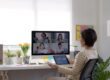

Remote office solutions are the tools and support systems that let employees work securely and productively outside the main office. For most small and midsize businesses, that means more than remote login. It usually includes managed laptops, Microsoft 365, cloud file sharing, secure access, cybersecurity, backups, business phone tools, and help desk support.
What counts as a remote office solution?
A real remote office setup gives employees a reliable way to access company systems, communicate, share files, and get support from home, the field, or another location.
Common pieces include:
- Business laptops
- Microsoft 365 for email, meetings, and collaboration
- Cloud file sharing
- VPN or other secure access tools
- Cybersecurity protections
- Backups and recovery planning
- VoIP or cloud phone systems
- Remote help desk support
The goal is simple: employees should be able to work without creating unnecessary downtime, confusion, or security risk.
Basic remote access vs. a fully supported remote office
This is an important difference.
Basic remote access usually means employees can log in somehow, but the setup is limited and inconsistent. That may include remote desktop access, personal devices, scattered files, and no clear support process.
A fully supported remote office is standardized and managed. Employees use approved devices, files are organized, access is secured, and support is available when problems come up.
In other words:
- Basic remote access = “people can get in”
- Full remote office support = “people can actually work well”
What tools do most SMBs need?
- Laptops and device management
Company-managed laptops are easier to secure, update, support, and replace than a mix of personal devices.
- Microsoft 365
Microsoft 365 often becomes the foundation for email, calendars, Teams meetings, document sharing, and user account management.
- Cloud file sharing
Remote teams need a clear, secure place for files. Without structure, businesses end up with duplicate files, version confusion, and oversharing.
- Cybersecurity
Remote work increases exposure. At a minimum, businesses should think about multi-factor authentication, endpoint protection, email security, device encryption, and access controls.
- VPN or secure access
Some businesses still need secure access to office-based systems. A VPN may help, but it is only one part of the larger remote work picture.
- Backups
Remote work does not remove the need for backup. Devices fail, files get deleted, and accounts get compromised. Businesses need to know what is backed up and how recovery works.
- VoIP and phone systems
A business phone system should still work even when employees are remote. VoIP and cloud calling can help keep communication consistent.
- Help desk support
Remote employees still need fast help with logins, file access, video meetings, devices, and connectivity issues. Without a support plan, owners and office managers often end up handling IT problems themselves.
Common remote work issues
Most remote work problems come from gaps in planning, not from one major failure.
Common issues include:
- Slow or unreliable access
- File-sharing confusion
- Weak home Wi-Fi or connectivity problems
- Poor call or meeting quality
- Unclear support processes
- Inconsistent onboarding and offboarding
- Employees using personal workarounds
These issues waste time and often create hidden security risk.
Security and compliance risks
Remote work can be secure, but only if it is managed properly.
Common risks include:
- Weak passwords or no MFA
- Unmanaged personal devices
- Overshared cloud folders
- Local files outside backup coverage
- Poor offboarding
- Phishing attacks
- Sensitive data accessed from insecure locations
For businesses with compliance concerns, remote work also raises questions about access control, encryption, data handling, and documentation.
How to choose the right setup
Start with how your business actually works.
Ask:
- Who works remotely, and how often?
- Which systems still depend on the office?
- What data is sensitive?
- How much downtime can you tolerate?
- Who supports users when issues happen?
For most SMBs, the best remote office setup is not the most complex one. It is the one that is secure, standardized, and supportable.
Quick self-check
Your remote office setup may need work if:
- Employees rely on personal devices
- File access is inconsistent
- Support requests go to the owner or office manager
- Remote access is not protected by MFA
- You are unsure what data is backed up
Conclusion
A remote office solution is not just a way to log in from home. It is a complete setup that helps employees work securely and efficiently from anywhere. For small and midsize businesses, the right mix usually includes managed devices, Microsoft 365, structured file sharing, secure access, cybersecurity, backups, phone continuity, and dependable support.
FAQs
- What is a remote office solution?
It is a combination of tools, security, and support that allows employees to work outside the office without losing access or productivity.
- Is remote access the same as a remote office solution?
No. Remote access is only one piece. A full solution also includes support, security, device standards, and file management.
- Do small businesses need company laptops for remote work?
Usually yes. Company-managed devices are easier to secure and support.
- Does Microsoft 365 cover most remote work needs?
For many SMBs, yes. It often handles email, meetings, collaboration, and document sharing.
- Do we still need a VPN?
Sometimes. It depends on whether you still use office-based systems or applications.
- Are cloud files automatically backed up?
Not always in the way businesses expect. Backup and recovery should be reviewed separately.
- What are the biggest remote work security risks?
Phishing, weak passwords, unmanaged devices, overshared files, and poor offboarding.
- What support issues are most common for remote users?
Login problems, file permissions, slow devices, VPN trouble, and audio/video issues.
- How do we know if our setup is too basic?
If remote work feels inconsistent, hard to support, or risky, the setup is probably too limited.
- What should a good remote office setup accomplish?
It should reduce downtime, improve security, support productivity, and make remote work easier to manage.
Free 15-minute IT risk triage call
If your team is working remotely or in a hybrid model, Crescent IT Systems can help you identify support gaps, security risks, and opportunities to simplify your setup.